
microSD EXPRESS on KVM-GO: Compatibility Test and Real Transfer Speeds
A community member asked whether KVM-GO supports microSD EXPRESS cards. Instead of guessing, we picked up a real microSD EXPRESS card and ran a simple compatibility + speed check.
What we tested
- Card: SanDisk microSD EXPRESS 128GB
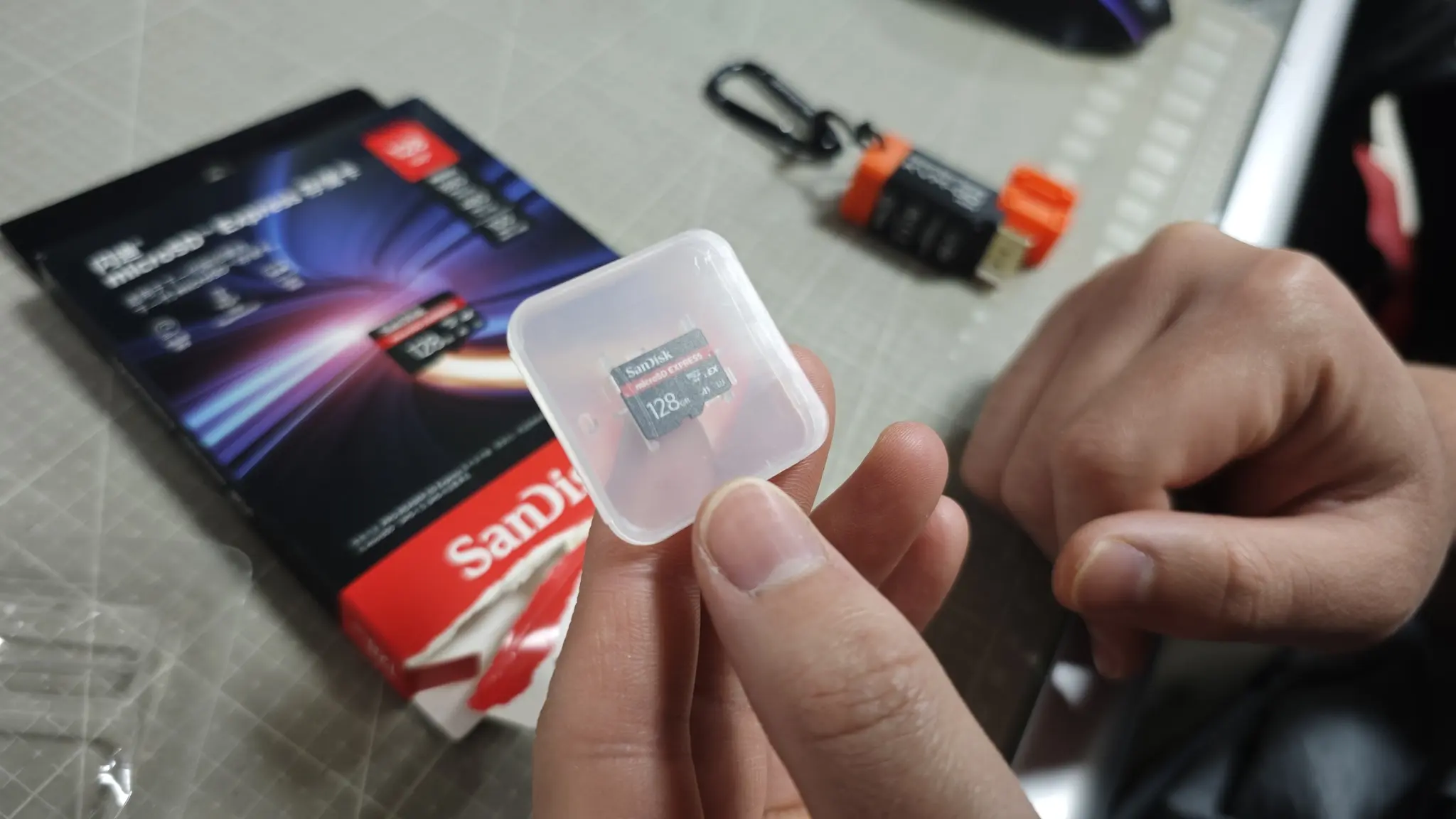
Test card used: SanDisk microSD EXPRESS 128GB.
- Goal: Confirm basic compatibility (detection + read/write) and measure real transfer speeds through KVM-GO's microSD path.
Test setup
This was a straightforward "real usage" style transfer test:
- Insert the microSD EXPRESS card into KVM-GO's microSD slot.
- On a Windows PC, copy a large folder/file set to the microSD card to observe sustained write speed.
- Copy data from the microSD card back to the PC to observe sustained read speed.
- We used normal OS file copy, and recorded the speed shown in the Windows transfer dialog.
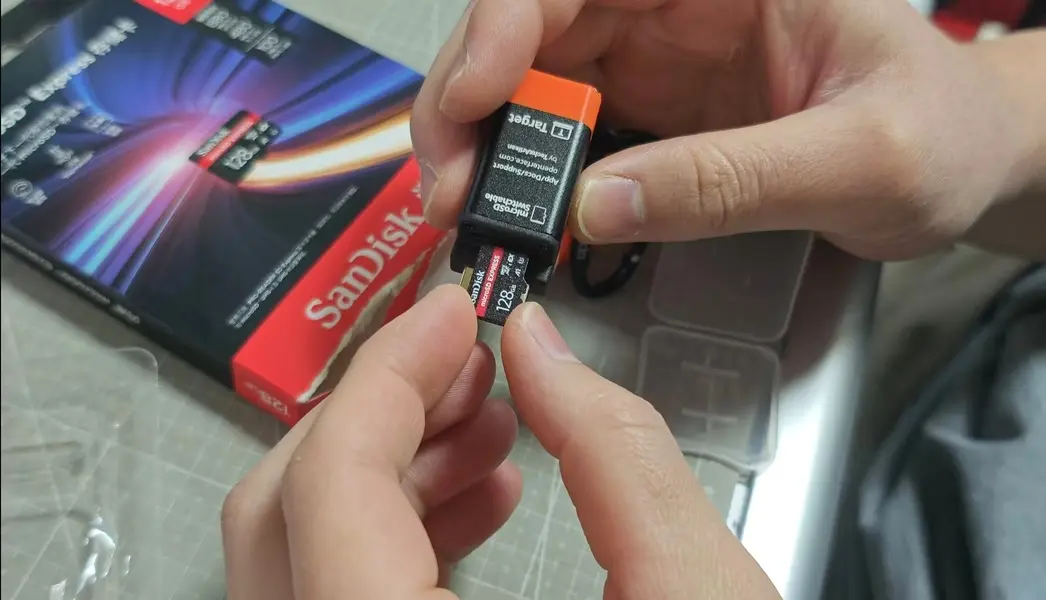
Test setup: inserting microSD EXPRESS into KVM-GO for read/write checks.
Compatibility result
KVM-GO can recognize the SanDisk microSD EXPRESS card normally.
Read and write both work without issues.
So if your question is simply "Does it work?" the answer is yes.
Transfer speed result
Even though the card is microSD EXPRESS, the transfer speed you get here depends on the internal storage path inside KVM-GO.
In our test, we observed approximately:
- Write speed: around 30 MB/s
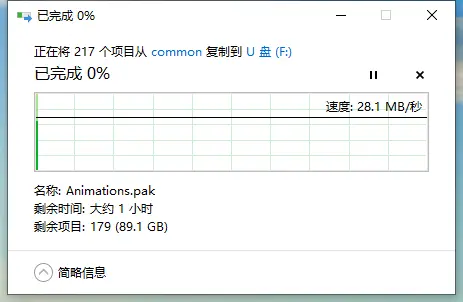
Write test (PC → microSD): ~28 MB/s observed during file copy.
- Read speed: around 20 MB/s
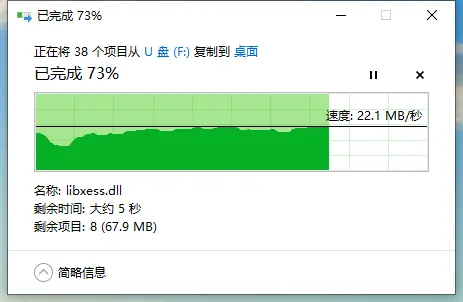
Read test (microSD → PC): ~22 MB/s observed during file copy.
These numbers can vary depending on file sizes, the mix of small vs large files, OS caching behavior, and overall workload, but this is the range we consistently saw.
Why it does not run at Express speeds
microSD EXPRESS cards are capable of much higher performance in the right setup, but KVM-GO's microSD storage path is limited by the internal bridge/controller used for microSD-to-USB storage.
In KVM-GO, that bridge operates at USB 2.0. USB 2.0 is often described as 480 Mbps (theoretical), but in real-world file transfers the sustained throughput is typically much lower due to protocol overhead and implementation details.
 The microSD storage bridge is USB 2.0 (480 Mbps theoretical). Real-world file transfer throughput is lower.
This is why microSD EXPRESS works fine on KVM-GO, but you should not expect Express-level speeds through this specific microSD path.
Practical takeaway
-
microSD EXPRESS is compatible with KVM-GO
It is detected normally and read/write works. -
Express-level speed will not show up through KVM-GO's microSD path
The bottleneck is the internal USB 2.0 storage bridge, not the card itself. -
What card makes sense to buy
If you are buying a card mainly for use with KVM-GO's microSD feature, a good UHS-I microSD card is usually enough, since the interface is the limiting factor in this scenario. -
If you need Express speeds
Use a dedicated microSD EXPRESS reader on a faster USB interface (separate from KVM-GO).
If you want us to test another card
If you have a specific microSD EXPRESS model you care about (brand + capacity + model number), share it and we can run the same check and add the results.